Stack 20: What's New?
Configurable Form Access Permissions
We’ve modernized how permissions to access form data are managed to give you more flexibility and control. Administrators can now configure form-level access (Read Only, Review, Edit) directly within the Create Role and Edit Role screens, instead of being limited to role defaults. For example, you can now give a Data Manager Review-only access for all forms in a study.
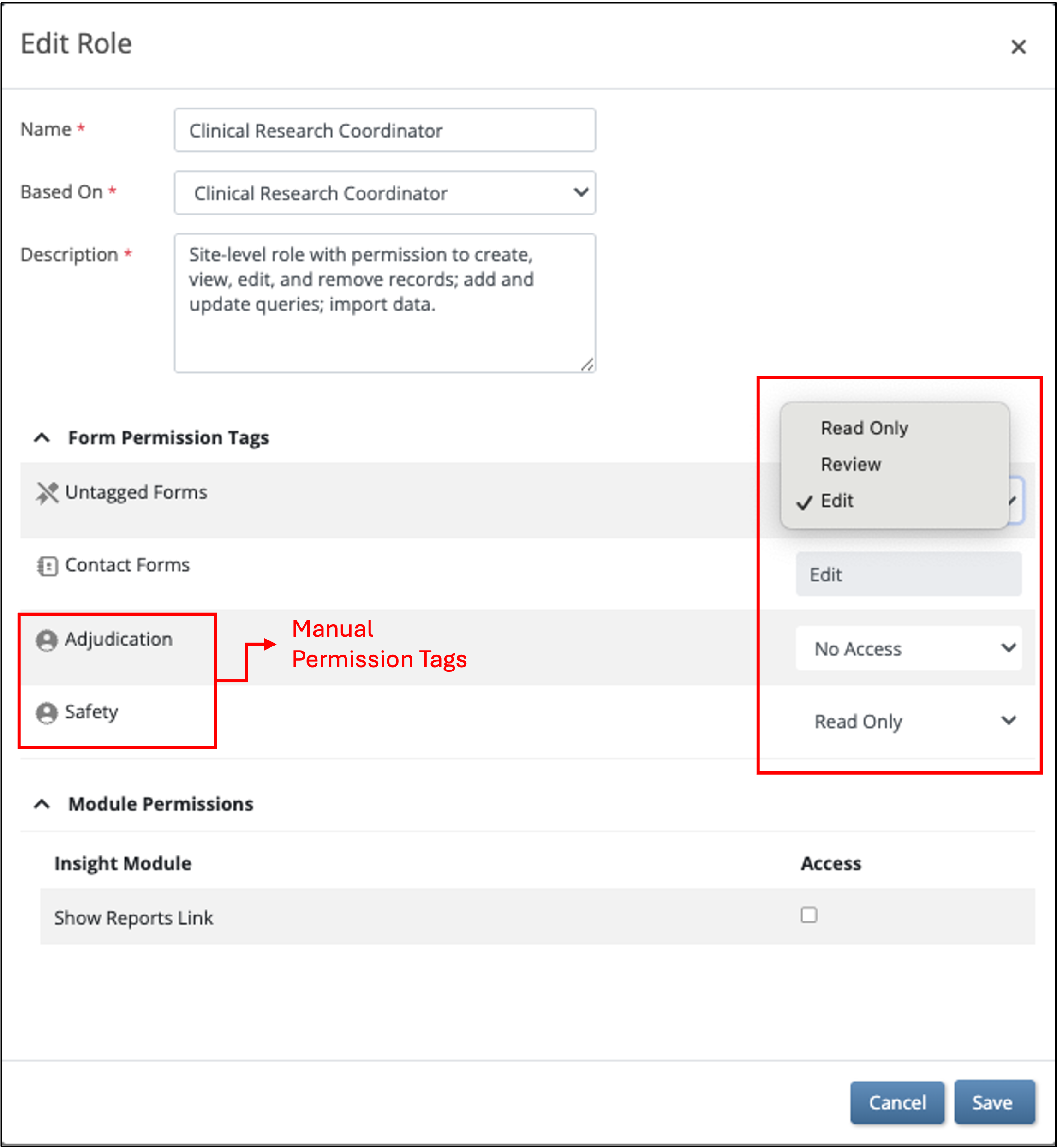
Forms have different access options based on whether they have manual permission tags applied in Study Designer and whether they contain contact data fields. Each permission tag can be set to allow any access level (Read Only, Review, Edit) or have access removed entirely per role. Contact forms default to granting CRC/Investigator roles Edit access and all other roles having No Access. If a manual permission tag is applied, the tag’s access level overrides the default contact form access in Study Runner. This means you can remove access for CRC/Investigator roles for specific contact forms, or grant access to non-CRC/Investigator roles if required. Untagged forms can also be assigned an access level per role.
Your existing role permissions automatically carry forward — roles that previously had Edit or View rights will retain them in both existing and new studies.
Exception: Studies where manual permission tags have been applied to contact forms may need to be updated to achieve the desired level of user access. See the Customer Notification for details. (Note that all affected customers have received versions of this notice that include the studies and user roles that need to be reviewed.)
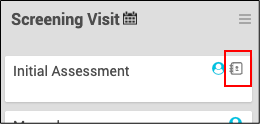
We’ve also improved visibility of categorization of forms. Contact forms now display a dedicated icon in Study Designer, and the User Roles page now shows tag names and access levels for easier review.
All other permissions — such as scheduling events, adding participants, closing queries, and removing records — remain role-based. Roles with permission to close queries will have this access for any forms the user can open in Edit or Review mode. Roles with access to remove forms will have this access for any forms the user can open in Edit, Review, or Read Only mode.
Filter User and Role Audit Log Download by Date
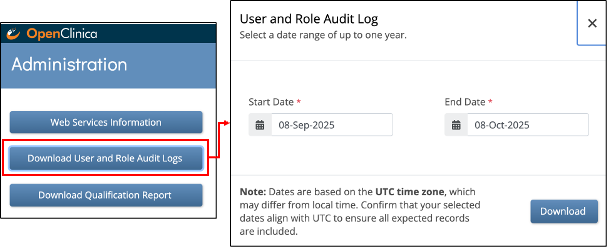
- The User and Role Audit Log download now includes required Start Date and End Date filters, allowing Admins to limit the log to a specific time range (up to one year). This enhancement improves system performance by preventing full log downloads for very large datasets, reducing the risk of slowdowns or crashes and making it less likely that the log files will be too large to open in Excel or other spreadsheet applications.
Site Time Zone Consistency
- Site time zones are now automatically shared across all studies that use the same site. When a time zone is set for a site in one study, it will be applied consistently in whichever studies that site appears.
- Only Admins can edit settings that are shared across studies — including the site’s time zone, name, and location — ensuring consistency and preventing unintentional changes.
... and more!
See full release notes for Stack 20 here.