Stack 20.1: What's New?
Training is now integrated into the study access workflow
OpenClinica now supports both required role-based training for study access and optional in-product training for onboarding.
Configurable Required Training and Study Access:
- Data Managers and Administrators can now assign required training by role, making it easier to ensure users complete the appropriate training before entering a study. Required training status is visible in a dedicated column on the User Roles page and is also shown on the Share page for improved visibility during study setup and user management.
- When a user is assigned a role with required training, they are redirected to the training page before they can access Study Runner.
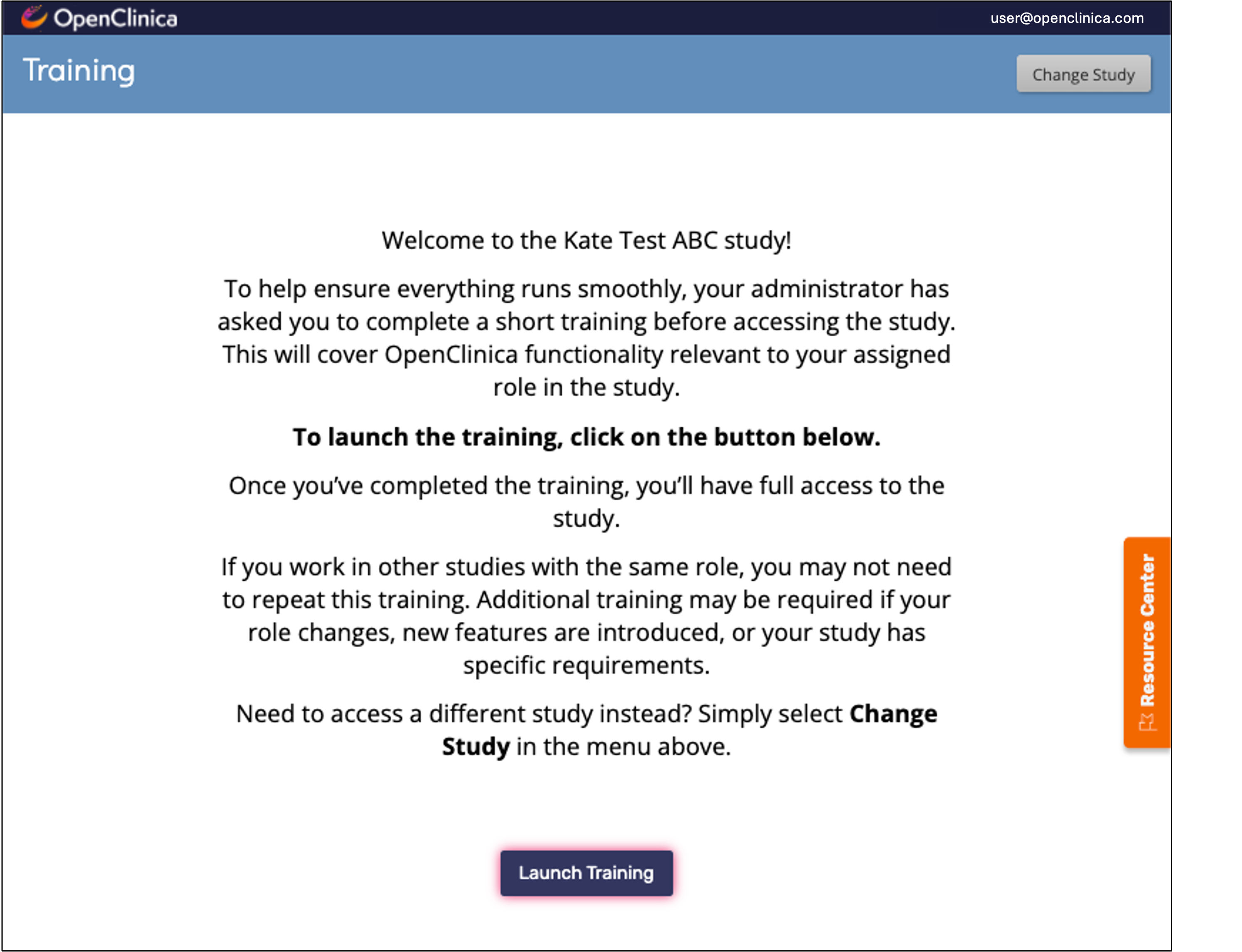
- After completing all required training, the user is automatically returned to Study Runner, creating a seamless training and access workflow.
- Audit log entries are recorded when a user completes an individual training module and when all required training for an assigned role has been completed, providing seamless traceability for study teams and administrators.
- As part of this new feature rollout, OpenClinica's legacy LMS is being wound down and will be deactivated soon. However, legacy training completion data, including completed courses and completion dates, will be migrated into OpenClinica 4 to preserve historical records. This will also prevent users from being required to retake courses they have already passed.
Optional training content is also integrated into the system via the Resources beacon to support easier onboarding and ongoing learning. This allows users to access helpful training materials within the platform even when training is not required for their role, making it easier to get started and build familiarity with study workflows.
Study Designer Form Search
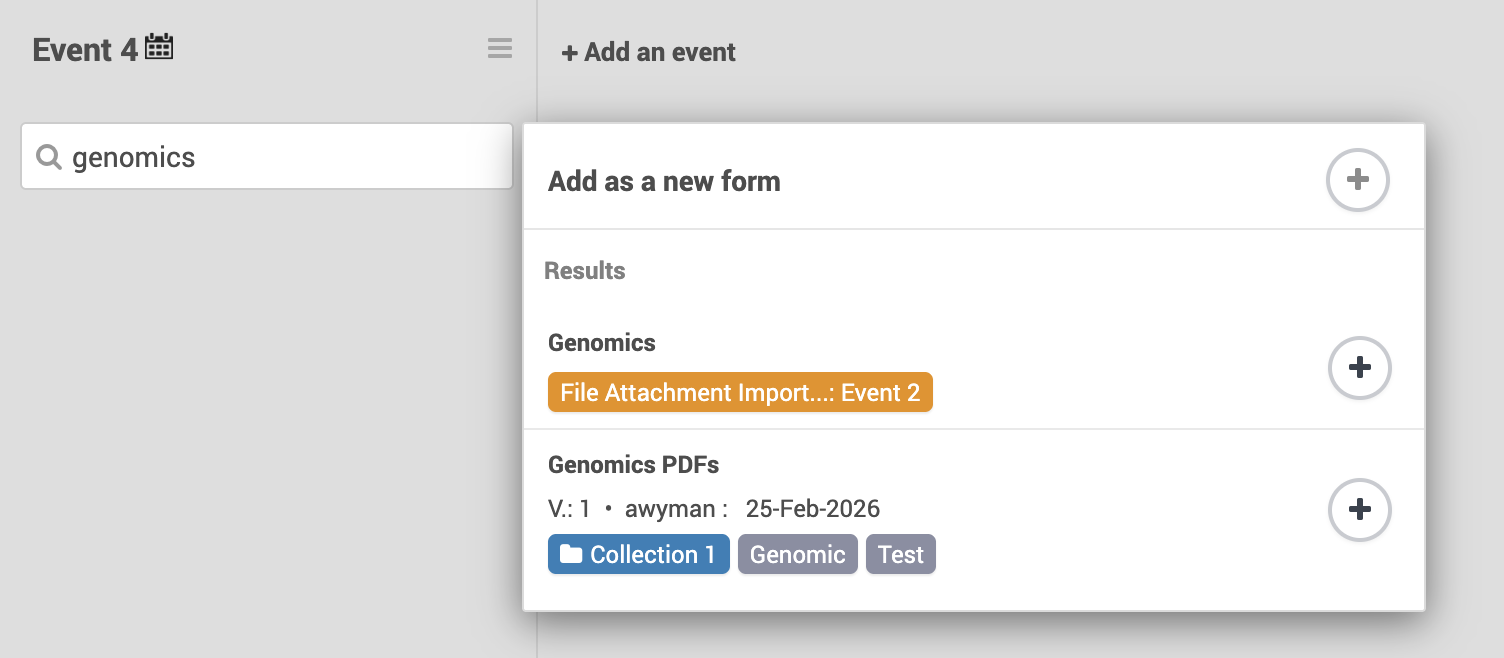
We’ve introduced the new Study Designer Form Search feature to completely streamline form discovery and reuse. This update makes it easier to add existing forms to an event by letting you quickly find and use forms already in your study or from the Library.
User Interface Updates
The color scheme has been updated throughout the system to make the OpenClinica interface more modern and user-friendly.
The button Participants click on their dashboard to complete and submit all the form data in an event and move on has been changed from “Let’s move on” to "Submit All".
Changed default Form Designer style setting to have all questions on a single page to make building your first form more intuitive.
... and more!
See full release notes for Stack 20.1 here.